Netflix Payment Guide

How to Pay for Netflix

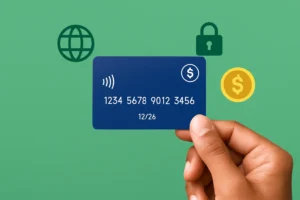
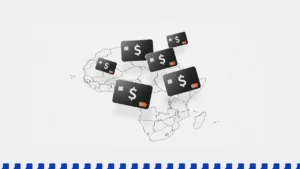
Paying for Netflix doesn’t have to be tricky—even without a credit card. From virtual cards like Kuda or Chipper, to PayPal, debit cards, and Netflix gift cards, there are plenty of ways to keep streaming. African users can also rely on bank-issued prepaid dollar cards or Verve options to unlock access.

1 min read
Updated Sep 2025
Verified Methods

Step-by-Step Payment Process

1

Visit Netflix Website

Click Join Now or Sign Up.

💡 Pro tip: Use a browser with incognito mode to avoid region caching.
2

Choose Your Plan

Select a plan that fits your needs (Basic, Standard, Premium).

💡 Pro tip: Basic with ads is the most affordable option.
3

Create Your Account

Enter your email and create a password.

4

Add Payment Method

Use a virtual card, PayPal, or debit card.

💡 Pro tip: If your local card fails, try a service like Wise or Privacy.com.
5

Start Watching

- Log in on your TV, laptop, or mobile device.

- Download the Netflix app for offline viewing

💡 Pro tip: If you’re traveling, use a VPN to access your home country’s Netflix library.

Netflix Pricing Plans

Basic with Ads
• 720p • 1 screen
$6.99/mo
Standard
• 1080p • 2 screens
$15.49/mo
Premium
• 4K • 4 screens
$22.99/mo

International Access

Netflix is available in 190+ countries worldwide, but its content library varies by region. For example, U.S. Netflix offers more titles than most other countries. If you’re traveling or living abroad, you may encounter a different selection of shows and movies.

To maintain access to your preferred catalog, use VPNs like ProtonVPN or NordVPN. These services allow you to connect through servers in different countries, unlocking region-specific content. Keep in mind that not all VPNs are equally effective — choose one that offers streaming-optimized servers.

Common Issues & Solutions

  • Payment Declined: This often happens with cards not supported in your billing region. Try a virtual card provider (Wise, Revolut) or switch your billing country in account settings.
  • Region Blocked: If you cannot access Netflix or specific content, use a trusted VPN like ProtonVPN or NordVPN to bypass restrictions. Always clear cookies/cache after switching regions.
  • Can't Use PayPal: Some regions block PayPal as a payment method. Use a PayPal-linked virtual card or switch to a direct card-based option.

Frequently Asked Questions

Need More Payment Solutions?

Explore our complete collection of payment guides and virtual card recommendations